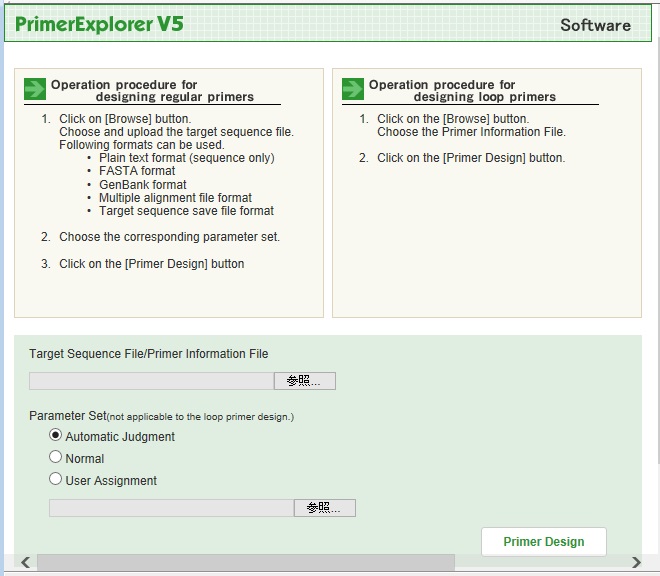
Select the Primer Information file and push the [Primer Design] button to proceed to the Basic designing page.
2.
Loop primer design
Basic procedure for the loop primer design is as follows.
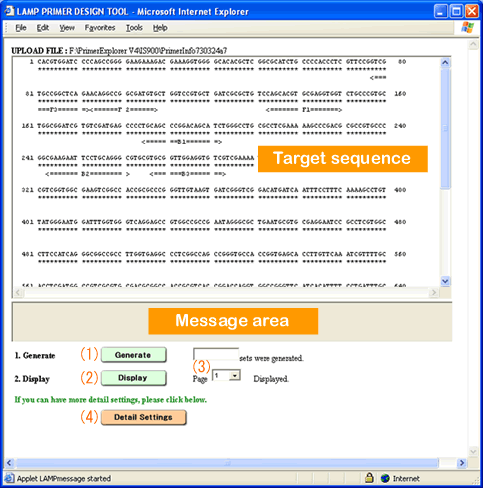
Click [Generate] button to generate the loop primer candidates.
Click [Display] button to display the loop primer list.
2-1. Basic designing page
The explanations of items on the page are listed below.
Target sequence display
· Sequences are usually displayed in capital letters.
Message area
The status of the designing process is shown.
(1)
[Generate]
Generate the primer sets.
(2)
[Display]
List the generated primer sets in a new window.
(3)
Show Page
Select the page number for the display of primer list in a new window.
(4)
[Detail Settings]
Shift to Detail Setting page.
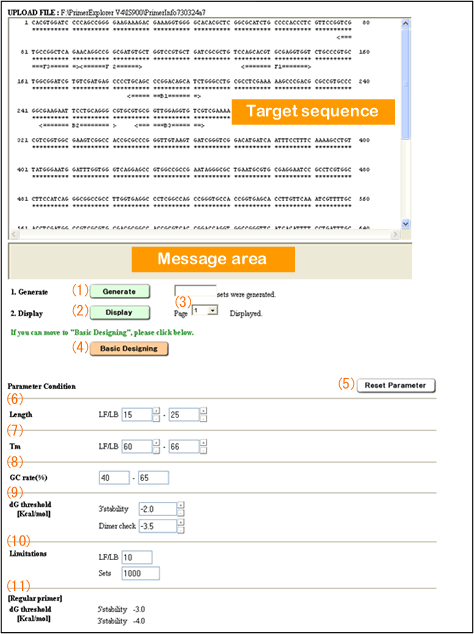
2-2. Detail Settings page The explanations of items on the page are listed below.
Target sequence display
· Sequences are usually displayed in capital letters.
Message area
The status of the designing process is shown.
(1)
[Generate]
Generate the primer sets.
(2)
[Display]
List the generated primer sets in a new window.
(3)
Show Page
Select the page number for the display of primer list in a new window.
(4)
[Basic Designing]
Shift to Basic Designing page.
(5)
[Reset Parameter]
Reset parameter value to the default condition.
Specify the parameter setting by inputting the appropriate number or clicking on [-] or [+] button beside the number entry field to change the input value.
(6)
Length
Minimum and maximum length of the loop primer.
(7)
Tm
Minimum and maximum Tm value of the loop primer.
(8)
GC rate(%)
Acceptable value for GC rate.
(9)
dG threshold
[Kcal/mol]
3'stability
Its 3' stability value (dG) is below this value.
Dimer check
The primer's dimer forming potential (dG) (stability between the combined primers) is more than this value.
(10)
Limitations
Maximum number of combinations when primer set is generated.
LF/LB
The number of LB (LF) candidates which can combine with each LF (LB) when generating LF and LB sets.
Sets
Number of the finally generated primer sets.
[Regular primer]
(11)
dG threshold
[Kcal/mol]
dG threshold
5'stability
5' stability
3'stability
3' stability
3.
Loop primer list
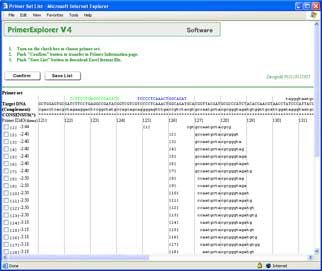
Up to 100 generated loop primer sets will be listed in each page.
Each row stands for one loop primer set, and each loop primer fragment's location refers to the target sequence above directly.
After pushing [Confirm] button, the selected loop primer sets will be shown in a new window for Detail information of the loop primer sets.
When push [Save List] button, the loop primers listed on the screen will be saved as an Excel file.
4.
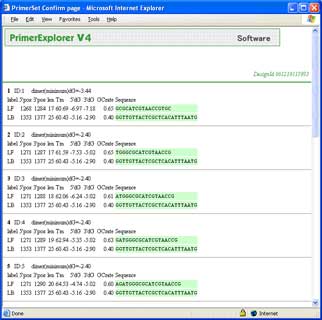
Detail information of the loop primer sets
The loop primer's information below is shown.
LF
LB
The following information is shown with each loop primer fragment.
![LAMP primer designing software [PrimerExplorer]](../img_shared/header_logo.gif)




















 3'stability